
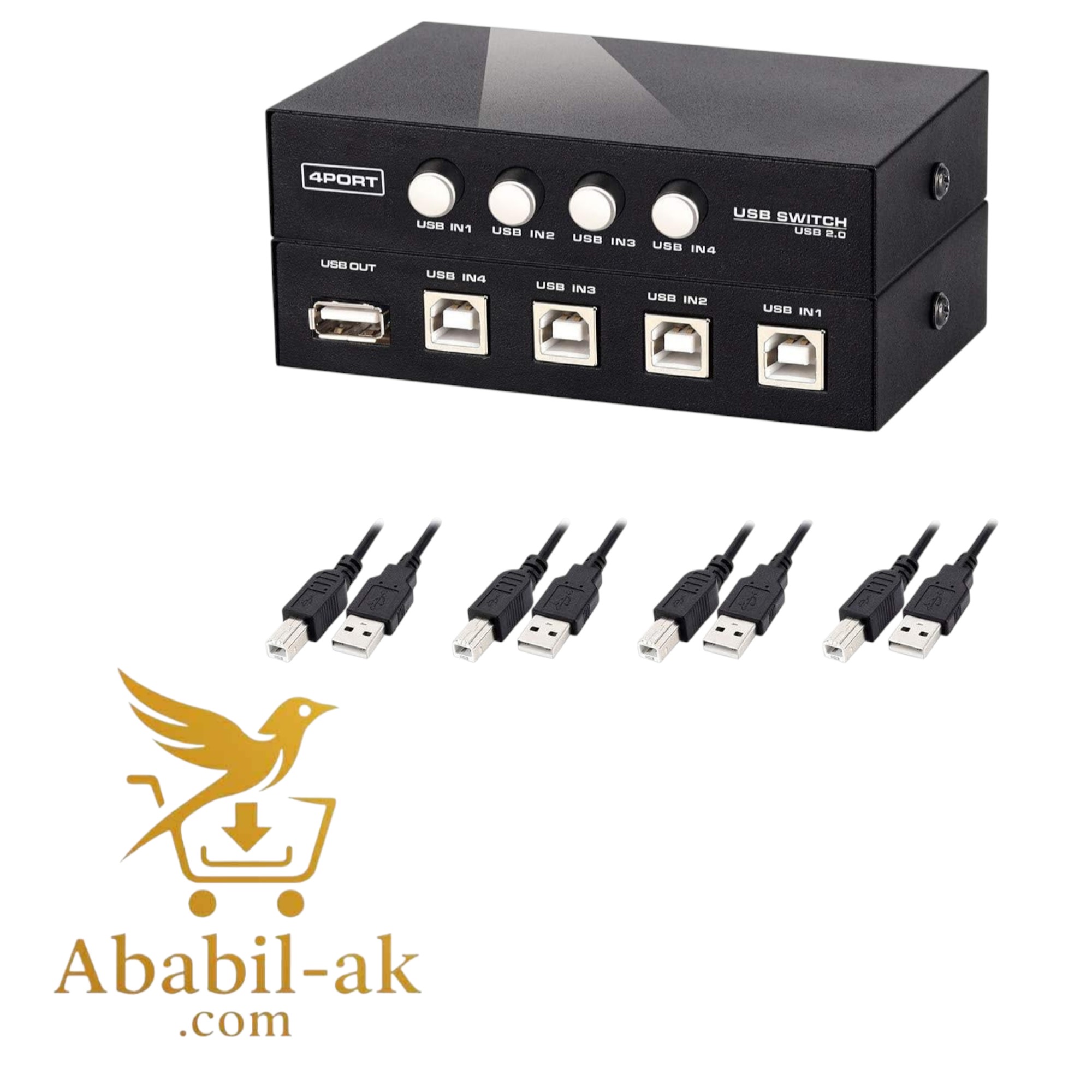
A 4-port printer switch allows multiple computers to share a single printer or other USB peripheral device (BS-T)

Roll over image to zoom in
620.00৳ 850.00৳ (-27%)
A 4-port printer switch allows multiple computers to share a single printer or other USB peripheral device. These switches typically feature four USB-B ports for computers and one USB-A port for the device, enabling them to be used interchangeably. They often include features like auto-switching, LED indicators, and hot-swapping capabilities.
Key Features and Functionality:
- Sharing: Enables up to four computers to connect to and use a single printer or other USB device.
- Port Selection: Allows users to select which computer has access to the device through pushbuttons, software configuration, or an auto-switching function.
- USB 2.0: Compliant with USB 2.0 standards, supporting data transfer rates up to 480 Mbps.
- Auto-Switching: Some models offer an “auto switch” function, which automatically switches to the computer that sends a print job, eliminating the need for manual switching.
- Multi-Platform Support: Compatible with various operating systems, including Windows and Mac.
- LED Indicators: Provide visual confirmation of which port is currently active.
- Hot-Pluggable: Supports connecting and disconnecting devices without needing to power down the computer or switch.
- Software Installation: Some models require software installation for features like hotkey switching.
- Compact Design: Many models are designed to be compact and space-saving.
- Plug and Play: Some switches offer plug-and-play functionality, eliminating the need for driver installation.
Benefits:
- Cost-effective: Eliminates the need for multiple printers or devices for each computer.
- Space-saving: Reduces clutter and saves desk space.
- Simplified setup: Plug-and-play functionality simplifies the setup process.
- Enhanced productivity: Allows for efficient sharing of resources.
- Versatile: Compatible with various USB devices beyond just printers.
Considerations:
- Compatibility: Ensure the switch is compatible with your specific printer and operating system.
- Switching Mechanism: Choose a switch with a switching mechanism that suits your needs (manual, auto-switching, or software-based).
- Maximum Cable Length: Be aware of the maximum cable length supported by the switch.
- Installation: Some switches may require software installation for certain features.
Additional information
| Weight | 0.15 kg |
|---|


Reviews
There are no reviews yet.